Text to Speech for Dyslexia: A Complete Guide
How text to speech technology helps people with dyslexia read more effectively. Practical tips, tools, and research-backed strategies.

Co-Founder of Read Aloud Reader with a background in tech and blockchain, writing about tech, productivity, AI, and security.
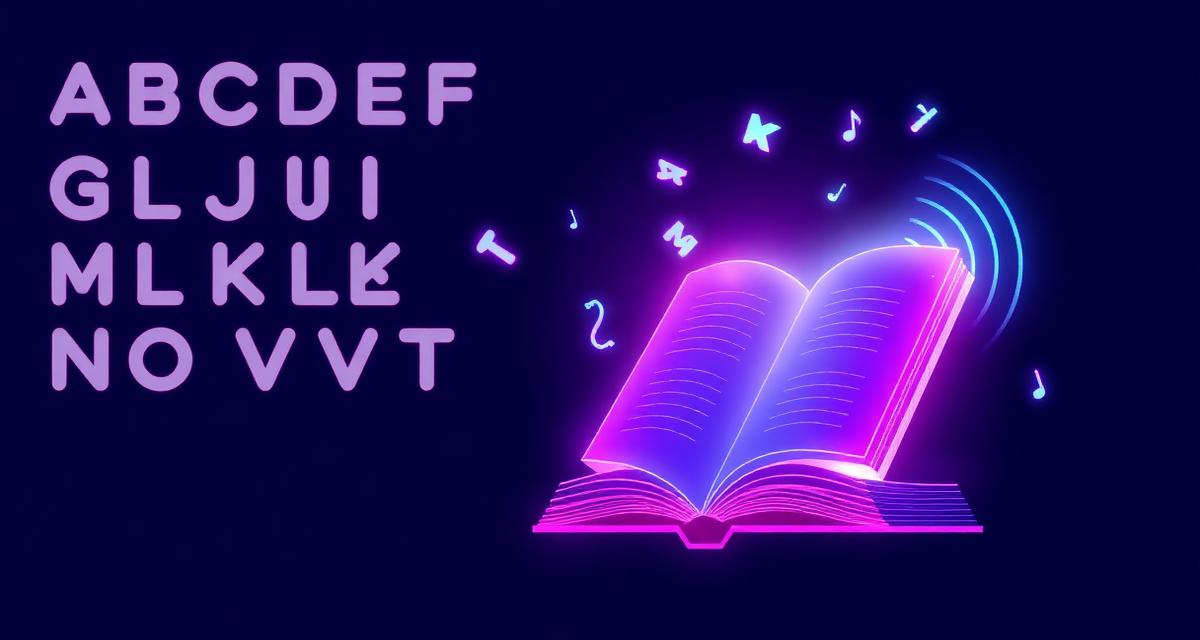
Text to speech for dyslexia offers an invaluable bridge for individuals who struggle with reading. This assistive technology converts written text into spoken words, significantly enhancing accessibility and comprehension for dyslexic readers. By externalizing the decoding process, text to speech (TTS) tools allow the brain to focus on understanding the content rather than grappling with letter recognition and word formation. It reduces cognitive load, improves fluency, and boosts confidence, making learning and everyday reading tasks much more manageable and less frustrating for those with dyslexia.
Understanding Dyslexia and Its Impact on Reading
Dyslexia is a specific learning disability that affects reading. It's neurological in origin, meaning it stems from differences in brain structure and function. The International Dyslexia Association (IDA) estimates that dyslexia affects 15-20% of the population, making it one of the most common learning disabilities. People with dyslexia often find it challenging to decode words, impacting reading fluency, spelling, and comprehension.
The core difficulty lies in phonological processing – the ability to recognize and manipulate the sounds of language. This makes it hard to connect letters to sounds, a fundamental step in learning to read. Vision problems, contrary to popular belief, are not typically the cause of dyslexia. The struggle is with language processing, not sight.
How Dyslexia Impacts Learning and Daily Life
Beyond academic performance, dyslexia can affect self-esteem and participation in daily activities. Reading a menu, checking emails, or understanding instructions can become daunting tasks. Traditional reading methods often fail to accommodate these challenges, leaving individuals feeling frustrated or inadequate. This is where Read Aloud Reader and other adaptive technologies become crucial.
For students, assignments requiring extensive reading can be overwhelming. Tasks like writing essays, completing timed reading tests, or even just keeping up with textbooks become uphill battles. Adults with dyslexia might face hurdles in their careers, requiring them to put in extra effort to manage document-heavy tasks. The emotional toll of constantly struggling with reading can be significant.
The Power of Text to Speech for Dyslexia
Text to speech for dyslexia acts as a powerful equalizer, leveling the playing field for readers. It bypasses the decoding difficulties inherent in dyslexia by presenting information auditorily instead of visually. This shift allows the reader to engage with the material on a cognitive level, fostering comprehension and critical thinking.
When text is read aloud, the dyslexic brain can allocate its resources to understanding meaning, rather than decoding individual words. This reduces the mental fatigue often associated with reading. It also helps in improving vocabulary and recognizing sentence structure, as words are heard in their correct pronunciation and context.
Key Benefits of TTS Dyslexia Tools
- Improved Comprehension: By offloading the decoding process, users can focus on understanding the content.
- Increased Reading Fluency: Hearing words read at a steady pace can help internalize correct pronunciation and rhythm.
- Enhanced Vocabulary: Users encounter new words aurally, helping them learn correct pronunciation and usage.
- Reduced Frustration: The burden of decoding is lifted, making reading a less stressful experience.
- Greater Independence: Users can access materials they might otherwise avoid, fostering self-reliance in learning and work.
- Multi-sensory Learning: Combining auditory and visual input (if following along) reinforces learning.
Choosing the Right Assistive Technology Dyslexia Tool
When selecting best free text to speech tools, several factors come into play. The best tools offer natural-sounding voices, easy navigation, and customization options. Think about the types of documents you'll be reading and the ease of integration with your existing workflow.
Modern TTS applications have evolved significantly since their early robotic-sounding predecessors. Many now use advanced neural networks to produce voices that are virtually indistinguishable from human speech, which is particularly beneficial for sustained listening. The clarity and naturalness of the voice directly impact comprehension and listening fatigue.
Features to Look for in TTS Software
- Natural-Sounding Voices: A high-quality voice prevents listening fatigue and enhances comprehension.
- Customizable Reading Speed: The ability to adjust the pace to suit individual needs is crucial.
- Highlighting Text: Synchronized highlighting of words or sentences as they are read aloud helps users follow along and connect auditory and visual information.
- Multiple Language Support: Useful for multilingual individuals or for reading foreign language texts.
- Integration Options: Compatibility with web browsers, PDF readers, and word processors is highly valuable.
- Ease of Use: An intuitive interface means less time spent learning the tool and more time focused on content.
- Portability: Availability on multiple devices (desktop, mobile) allows for reading on the go.
Practical Strategies for Using Text to Speech for Dyslexia in 2026
Integrating text to speech for dyslexia effectively into daily routines requires a strategic approach. It's not just about turning on a tool; it's about optimizing its use to maximize benefits. Think about establishing a routine and exploring all the features your chosen tool offers.
For students, using TTS while simultaneously reading along with the highlighted text can significantly improve word recognition and overall literacy skills. This multi-sensory approach, as supported by research from the Yale Center for Dyslexia & Creativity, can reinforce learning pathways in the brain. Similarly, recording lectures and using TTS to review notes can be an effective study method.
Tips for Maximizing TTS Effectiveness
- Listen and Read Concurrently: If possible, follow along with the highlighted text as it's read aloud. This reinforces word recognition.
- Adjust Speed: Start with a slower speed and gradually increase it as comfort and comprehension improve.
- Use for Proofreading: Hearing your own writing read aloud can help catch errors that might be missed when reading visually.
- Explore Different Voices: Some voices might be clearer or more engaging than others for you.
- Integrate with Study Habits: Use TTS for textbooks, articles, and even personal notes to reduce reading fatigue.
- Don't Limit It to Academics: Use TTS for leisure reading, emails, news articles, and any other text you encounter.
Where to Find and Use TTS Tools
The accessibility of make your computer read text aloud has never been greater. Many operating systems now include built-in TTS functionalities. For more advanced features, dedicated applications and browser extensions are available. Read Aloud Reader is one excellent option that focuses on ease of use and high-quality voice output.
Web-based tools offer the flexibility of not needing to install software, working directly in your browser. This can be particularly useful for those who use multiple computers or shared devices. Look for tools that support common document formats like PDFs, Word documents, and web pages.
Read Aloud Reader: A Solution for Dyslexic Readers
Our own tool, Read Aloud Reader, is designed with clarity and user experience in mind. It converts text from web pages, PDFs, and other documents into natural-sounding speech, supporting individuals with dyslexia in their reading journeys. Its intuitive interface allows users to quickly paste text, upload documents, or initiate reading directly from a webpage, making it a simple yet powerful tool for Read Aloud Reader.
In 2026, the landscape of assistive technology continues to evolve rapidly, offering increasingly sophisticated and user-friendly options. Staying informed about the latest developments ensures that you can leverage the best tools available to support your reading needs.
Frequently Asked Questions About Text to Speech for Dyslexia
Q: Can text to speech really help with severe dyslexia?
A: Yes, text to speech can be profoundly helpful even for severe dyslexia. By removing the decoding burden, it allows individuals to access and comprehend written information they might otherwise struggle with. It supports a focus on meaning rather than word recognition.
Q: Is text to speech a crutch, or does it genuinely improve reading skills?
A: Text to speech is not a crutch; it's a legitimate assistive technology. Research, including studies cited by the International Dyslexia Association, shows that using TTS can actually improve reading skills over time. By hearing words correctly pronounced while seeing them, users build a stronger connection between written and spoken language.
Q: Are free text to speech tools for dyslexia as good as paid ones?
A: Many free text to speech tools are surprisingly good and offer excellent basic functionalities. They provide natural-sounding voices and a good user experience. Paid tools often offer more advanced features, such as offline access, specialized voices, or integration with specific learning platforms. For many, free options are an excellent starting point.
Q: What is the optimal reading speed for text to speech for dyslexic users?
A: There isn't a single optimal speed; it's highly individual. It's best to start with a slower speed (e.g., 100-120 words per minute) and gradually increase it as comfort and comprehension allow. The goal is to find a speed that facilitates understanding without causing auditory overload.
Q: Can I use text to speech for all types of content, including textbooks and articles?
A: Absolutely. Text to speech tools are designed to read a wide variety of content. This includes web pages, PDF documents, e-books, word processing documents, and even scanned text (with OCR capabilities). This versatility makes them invaluable for academic, professional, and personal reading.
Try Read Aloud Reader for Free
Paste any text and listen instantly with premium AI voices. No signup required.
Read Text Aloud — Free